-
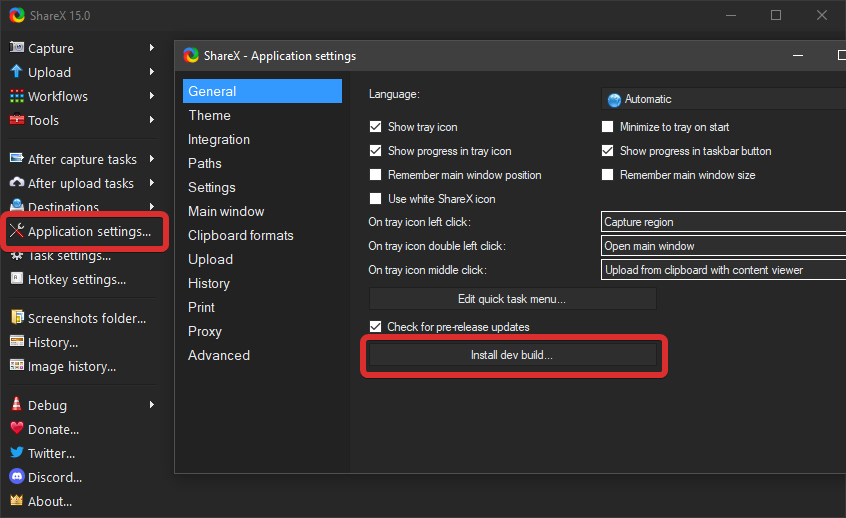
Open the "Application settings" window from the main window.
-
Click the "Install dev build" button to start the auto-update process.
If you don't already have ShareX installed, you can download the latest development build from the ShareX DevBuilds releases page.
macOS and Linux
ShareX for macOS and Linux is in preview on the cross-platform branch. Download the latest preview build for Apple silicon, Intel Macs or Linux from the macOS and Linux artifacts page.